
Hi All,
We have a new feature available to all admins with access to users’ Question History.
For each question that a user has completed, a new drop-down gives more details about how the user answered the question.
In other words, rather than downloading a Question History Report, you can now look at an individual’s question history and see:
1. The correct answer options
2. Which answer options the user selected
This includes questions answered today as well as those earlier completed.
How it Works
All you have to do is go into a user’s account and click on Question History (via the People tab).
Here you can see at-a-glance on the right-hand side which questions the user got right or wrong.
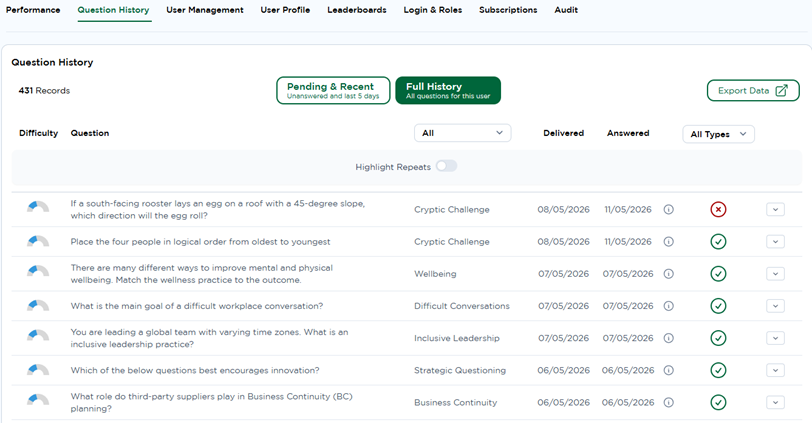
By clicking on the drop-down arrow on the right of the Tick/Cross you can now see both the correct answer option for the question and the response the user gave.
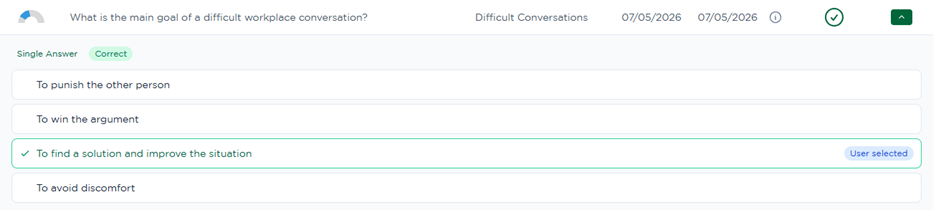
In this example, you can see that the question was answered correctly by the user and in the drop down it confirms the correct answer with a green tick and that this was the answer that the User selected:
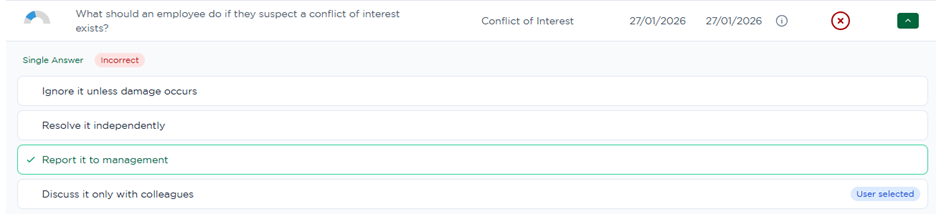
In the case below, the user got the answer wrong. We can see in the drop down that the correct answer is Report it to management, but the user selected Discuss it only with colleagues
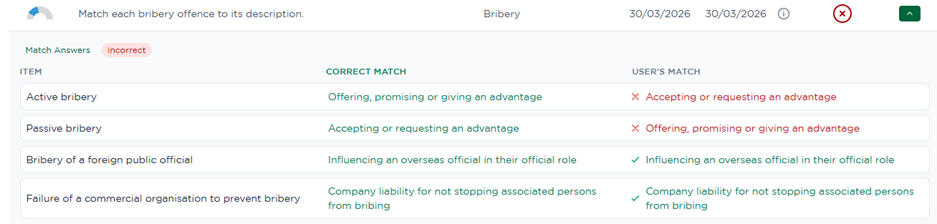
The feature also works for our new-style matching questions
As you can see in the image below, the user got the bottom two matches correct, but the top two answers are the wrong way round.
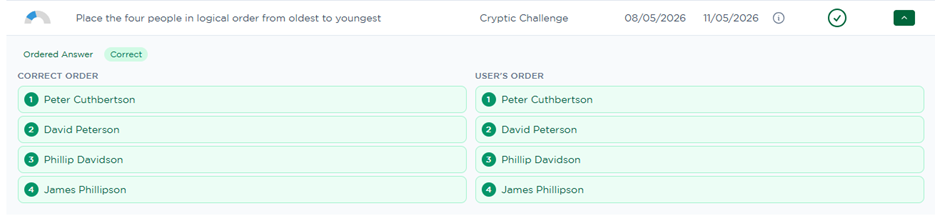
The drop-down works for the ordering questions as well.
For example, in the below image we can see that the answers are right because the User’s Order matches the Correct Order:
The detailed answer review is not currently available for image map questions, but for all other types, this new feature creates a quick and easy way to review a user’s recent answers.
As always, we'd love to hear your thoughts — drop a comment below!
Comments 1