
Embed YouTube videos directly in your Cognexo questions
You can place a YouTube video inside a Cognexo question, so users watch it and answer in the same place.
We’ve published a short step-by-step guide to setting it up.
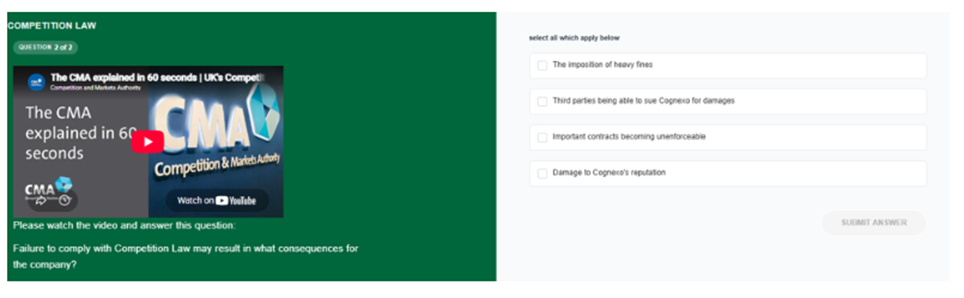
A question with an embedded explainer video. The employee watches the clip, then answers.
Why put the video in the question?
A hyperlink asks people to leave the question, watch something elsewhere and come back. Some do; many don’t, and they answer anyway.
An embedded video keeps the content and the check together. The employee watches the clip, then immediately shows whether they understood it. A video stops being something people were sent and becomes something they’ve demonstrated they took in – and that’s what shows up in your results.
What you can control
- Ad-free playback. Videos play without adverts, so attention stays on your content.
- A custom start point. Start the video at the exact moment that matters, rather than asking people to scrub through to find it.
-
Player controls. Choose whether people can pause, adjust the volume or go full screen.
Where it works well
- Regulatory and policy explainers. As in the Competition Law example above, a short official clip sets the context before the question tests it.
- Messages from leadership. A short clip from a senior leader on a new strategy or change, followed by a question that checks the key message landed.
- Product and process demonstrations. Show how something works, then ask people to put the steps in order or choose the right next action.
- Scenarios. Play a short customer or workplace situation and ask what should happen next
Get started
Read the guide: Embedding videos into questions
If you have any questions, get in touch with the Cognexo team and we’ll help you set up your first video.
Comments 0